Online AI Classes for Professionals: A Practical Shortlist
August 9, 2026
Most AI courses are built for students or engineers. Here's what actually works for people who need AI skills in their current job, and how to choose.
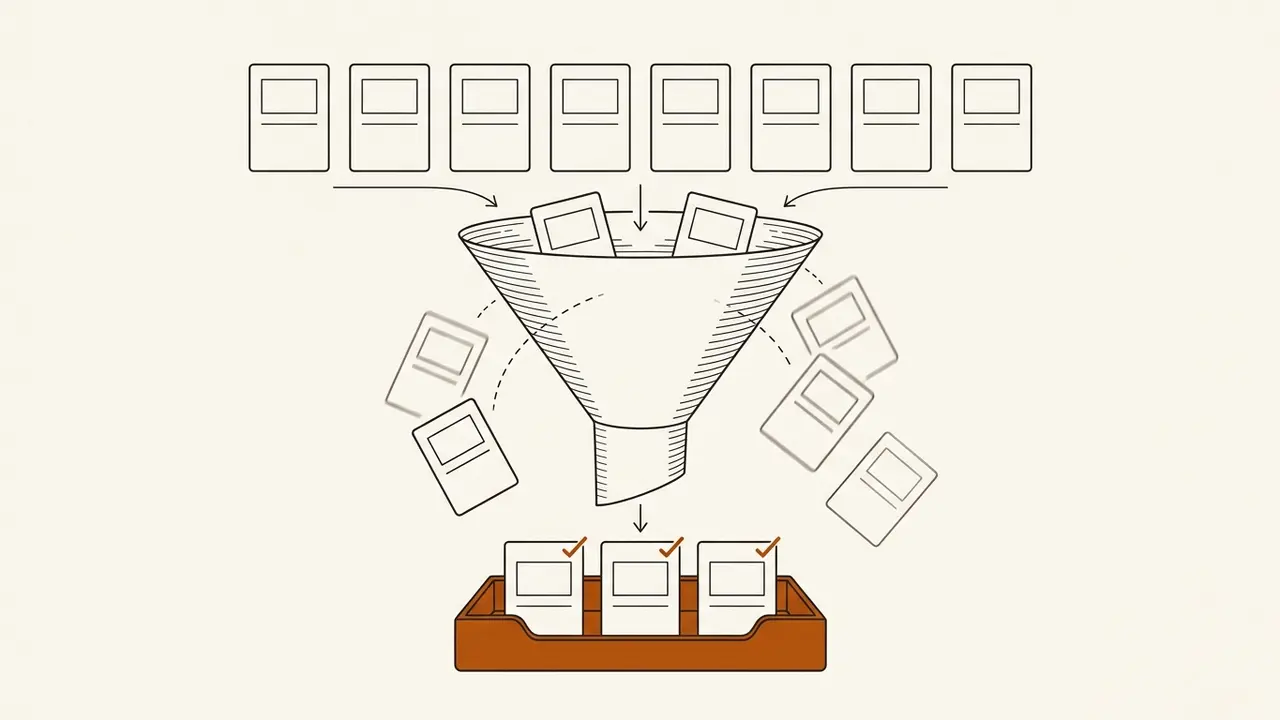
Most online AI classes are not built for you. They are built for computer science students who want theory, or for engineers who want to build models, or for people who have six free hours a week and no deadline pressure. If you are a working professional trying to get better at the tools you already use, or the tools your team keeps mentioning in meetings, the standard options will waste your time.
The honest answer: the best online AI classes for professionals are short, tool-specific, and built against the live product. Not a university lecture series. Not a 40-hour certification program. A focused course that shows you the actual interface, the actual plan limits, and the actual workflows you will repeat on Tuesday morning.
That is a narrow filter. Most platforms fail it. Here is how to apply it.
What are you actually trying to learn?
Before you pick a course, name the job. "Learn AI" is not a job. It is a mood. The real question is always one of these:
- I need to write better prompts for the tool my company already pays for.
- I need to automate a specific recurring task (reports, summaries, data cleanup).
- I need to evaluate which AI tool fits a workflow before I recommend one to my team.
- I need to stop feeling behind in meetings where people reference features I have never seen.
Each of these points to a different kind of course. A ChatGPT course that teaches prompting patterns is different from a Claude course that teaches you to build artifacts and run coding tasks. A course on AI for business operations is different from one on AI for project managers. The mistake most people make is picking a course based on the tool's brand name instead of the job they need done.
If you are not sure which tool matters for your role, start with a comparison. We wrote a breakdown of Claude vs. ChatGPT for business use that maps each tool to the workflows where it actually wins.
What makes an AI course actually useful for a working professional?
Three things. All three are rare.
1. It is built against the live product.
AI tools change fast. Interfaces shift, features get renamed, plan limits move. A course recorded eight months ago might be teaching you a menu that no longer exists. The only way to stay current is to verify content against the live product on a short cycle. Our methodology at Classwise is to write every course against the real buttons, menus, and plan limits of the tool it teaches, with dated verification sources. Anything older than about 90 days gets re-verified before it ships. That is not a marketing claim. It is the operational reason the courses stay accurate.
2. It is short enough to finish between meetings.
A 40-hour certification program is not going to happen for someone with a full-time job and a commute. The format that works is lessons you can read or listen to in a few minutes, stacked into a course you can finish in a week or two. Our courses are built that way: short practical lessons, a few minutes at a time, readable or listenable. The flagship, Claude: Deep Dive, is 13 lessons and roughly 180 minutes total, with a capstone project where you connect a live data source, build an artifact, run a coding task in Claude Code, and ship one business asset.
3. It teaches the tool, not the theory.
You do not need to understand transformer architecture to use Claude effectively in a business context. You need to know how to structure a prompt, how to use projects and artifacts, how to handle long documents, and where the tool's current limitations sit. Theory courses are fine if you are curious. They are not what gets you better at your job this quarter.
How do you build a shortlist?
Here is the filter we would apply if we were choosing for ourselves:
- Does the course teach a specific tool or a specific role? Generic "intro to AI" courses are fine for orientation. They do not build skill. Look for a ChatGPT course, a Claude course, or a role-specific course like AI for project managers or AI for accountants.
- Is the content verified against the current version of the tool? If the platform cannot tell you when the content was last checked, assume it is stale.
- Can you finish it in under five hours? If not, you probably will not finish it. Be honest with yourself.
- Is there a capstone or applied project? Watching is not learning. You need to do something with the tool that produces a real output.
- Is the pricing transparent and the cancellation easy? If you have to book a demo call to see the price, that is a signal about who the product is really for.

On that last point: our pricing is on the page before your email. $19/month or $149/year, which works out to about $12.42/month on annual. Cancel anytime, one tap, self-serve refunds. We have 19 courses live in the catalog right now, covering tools like Claude, ChatGPT, Perplexity, DeepSeek, and Jasper, plus role-based tracks for accountants, project managers, product teams, and people building portfolios or job hunting.
“The diagnostic question: can you name the specific task this course will help you do better by next Friday? If not, keep looking.”
Which courses fit which professional?
A rough map based on what we see working:
- You use Claude or want to start: Claude: Deep Dive is the flagship. It covers prompting, projects, artifacts, Claude Code, and ends with a shipped business asset. If you want a broader foundation first, Communicating with AI covers the prompting and communication layer that applies across tools.
- You use ChatGPT daily: ChatGPT Deep Dive goes deep on the tool's current capabilities, custom instructions, and workflow patterns.
- You are starting from zero with ChatGPT: ChatGPT course for beginners breaks down which beginner course formats actually work, and our first-month plan for learning ChatGPT at work gives you a structured way to self-direct before you pay for anything.
- You manage projects or operations: AI Essentials for Project Managers and AI for Business Operations are built for people who need AI to make existing processes faster, not to build new products.
- You want to explore agentic workflows: We covered what makes a strong agentic AI course in this post, including what to look for and what to skip.
Where this approach breaks down
This shortlist method works for tool-level skill building. It does not work if you need any of the following:
- Deep technical understanding of how models work. If your job requires you to fine-tune models, build RAG pipelines from scratch, or make architecture decisions about inference infrastructure, you need an engineering program, not a tool course. Nothing in a practical AI course will prepare you for that.
- Formal academic credentials. If your employer or industry requires a university-issued certificate or a degree for compliance reasons, a platform like Classwise will not satisfy that requirement. Our certificates have public verification URLs, but they are proof of completion, not academic credit.
- Custom enterprise training. If you need a consultant to come in and build a bespoke training program around your company's proprietary data and workflows, that is a different engagement model entirely. Subscription courses teach the tools. They do not audit your internal processes.
Knowing the boundary matters. The worst outcome is enrolling in a practical tool course expecting it to give you something it was never designed to deliver.
If you want to start with the tool that is getting the most traction in professional workflows right now, Claude: Deep Dive is where we would point you. For a broader look at how the two major tools compare for business use, this breakdown covers the tradeoffs. And if you want to see the full catalog and pricing before committing, the pricing page has everything up front.